
Libby: Read Library Books
OverDrive, Inc.Books & Reference
4.871.49K Reviews
- Version
- 9.5.0
- Installs
- 10.00M
- Age Rating
- Teen
Screenshots
Our Review of Libby: Read Library Books
 Analysis by Appyee
Have you ever wished you could carry an entire library in your pocket? Well, with Libby, the library app, you can do just that. This nifty app by OverDrive is your gateway to thousands of ebooks and audiobooks, all available through your local library. Let me tell you, it's like having a library card on steroids!
Getting Started with Libby
First things first, let's talk about setting up Libby. It's as easy as pie! Once you download the app, it guides you through connecting your library card. If you're like me and sometimes forget your card at home, you’ll love how it keeps everything digital. The interface is super clean and intuitive. Honestly, even my tech-averse grandma could navigate it without any hitches.
Browsing and Borrowing Books
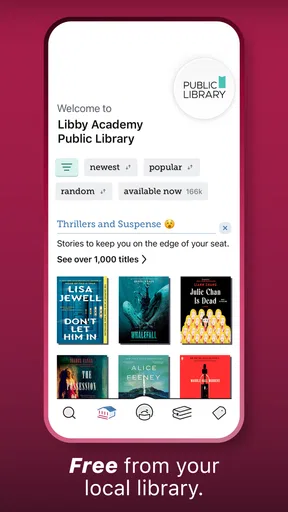
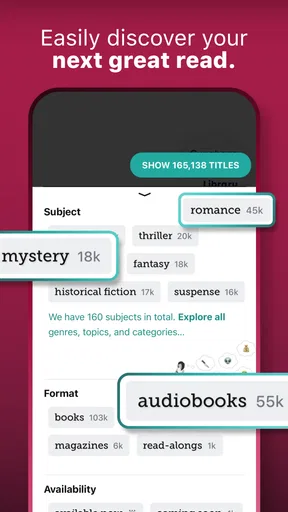
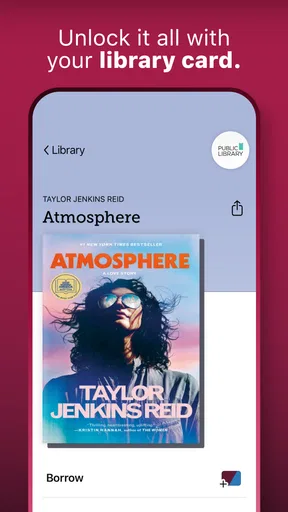
Now, onto the fun part—finding books! Browsing through Libby feels like wandering through a cozy bookstore, minus the physical shelves. You can search by title, author, or genre. Plus, the app offers curated collections, making it easy to discover new reads. Borrowing a book is hassle-free. Just hit "Borrow," and it’s added to your library. No late fees either, as the books magically return themselves. How cool is that?
Reading and Listening Experience
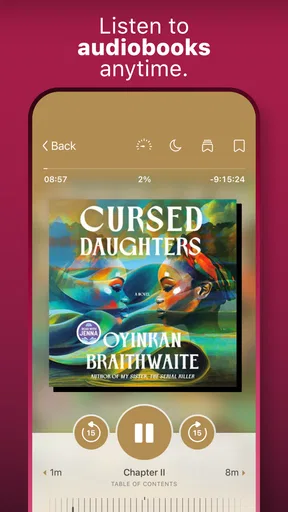
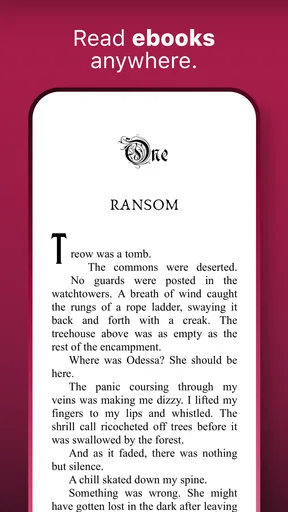
Whether you’re a fan of reading or prefer audiobooks, Libby has you covered. The ebook reader is customizable; you can adjust font size, background color, and even switch to night mode for late-night reading. As for audiobooks, the playback speed can be adjusted to suit your listening style. I love tuning in during my morning jogs—it’s like having a personal storyteller.
Offline Access and Syncing
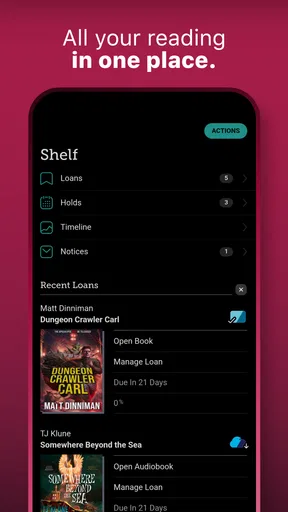
If you're worried about data usage, fret not. Libby allows you to download books for offline access. This feature is a lifesaver, especially on long flights or road trips. Plus, the app syncs across devices, so you can start reading on your tablet and pick up where you left off on your phone. It’s seamless and makes switching devices a breeze.
Why Libby Stands Out
What makes Libby a standout is its partnership with libraries. It gives everyone access to a wealth of knowledge for free, promoting reading in the digital age. The app is also ad-free, which is a huge plus. You get to enjoy your books without pesky interruptions. And if you’re a fan of sharing, you can recommend books to friends directly through the app.
In conclusion, Libby is the ultimate app for book lovers. It combines the charm of a library with the convenience of modern technology. Whether you’re a voracious reader or a casual listener, this app is a must-have. So, what are you waiting for? Dive into your next literary adventure with Libby!
Privacy and Permissions
See what permissions an app requests and how it handles your data.
- Location
- approximate location (network-based)
- Photos/Media/Files
- read the contents of your USB storage, modify or delete the contents of your USB storage
- Storage
- read the contents of your USB storage, modify or delete the contents of your USB storage
- Other
- view network connections, pair with Bluetooth devices, full network access, run at startup, control vibration, prevent device from sleeping
Verdict
Strengths of Libby: Read Library Books
- User-friendly interface for easy navigation.
- Access to a vast collection of e-books.
- Syncs across multiple devices seamlessly.
- Offline reading available for convenience.
- Free to use with a library card.
Limitations of Libby: Read Library Books
- Requires a library card for access.
- Limited availability for some titles.
- Audiobook downloads can be slow.
- Occasional sync issues across devices.
- No option for purchase within the app.
Similar Picks in This Category
View All
Google Play Books & Audiobooks
Google LLC4.7

네이버 - NAVER
NAVER Corp.3.5

Wattpad - Read & Write Stories
Wattpad.com3.7

King James Bible - Verse+Audio
Ozion4.8

Bible Offline-KJV Holy Bible
Bíblia Offline4.9

Amazon Kindle: Reading App
Amazon Mobile LLC4.8
Frequently Asked Questions
What is Libby, and how does it work?
Libby is a user-friendly app that connects users to their local library’s digital collection. By using your library card, you can borrow eBooks, audiobooks, and magazines directly to your device. The app features a simple interface, allowing easy browsing, downloading, and reading or listening offline.
Do I need a library card to use Libby?
Yes, a valid library card from a participating library is required to access the materials offered through Libby. If you don’t have a card, you can usually apply for one through your local library’s website or visit in person to sign up. Some libraries also offer digital cards directly through the app.
Is Libby available on both Android and iOS devices?
Libby is available for download on both Android and iOS platforms. You can find it on the Google Play Store for Android devices and the Apple App Store for iOS devices. The app is designed to work seamlessly across different devices, ensuring a consistent experience.
Are there any fees associated with using Libby?
Libby itself is free to download and use. However, it requires a library card from a participating library, which might have its own membership fees, depending on your local library’s policies. Generally, borrowing eBooks and audiobooks through Libby does not incur additional charges.
Can I use Libby offline?
Yes, Libby allows you to download eBooks and audiobooks to your device, enabling offline access. This feature is particularly useful for reading or listening on the go, without needing a constant internet connection. Just ensure you download the content while connected to the internet beforehand.
